
Chapter 04 · The product
We dreamt of helping you dream.
Every image here is the real Kwark, running a five-scene demo short called Blank Pages. Hover over the numbered pins to see the decisions behind each screen.
A project is a workspace, not a file.
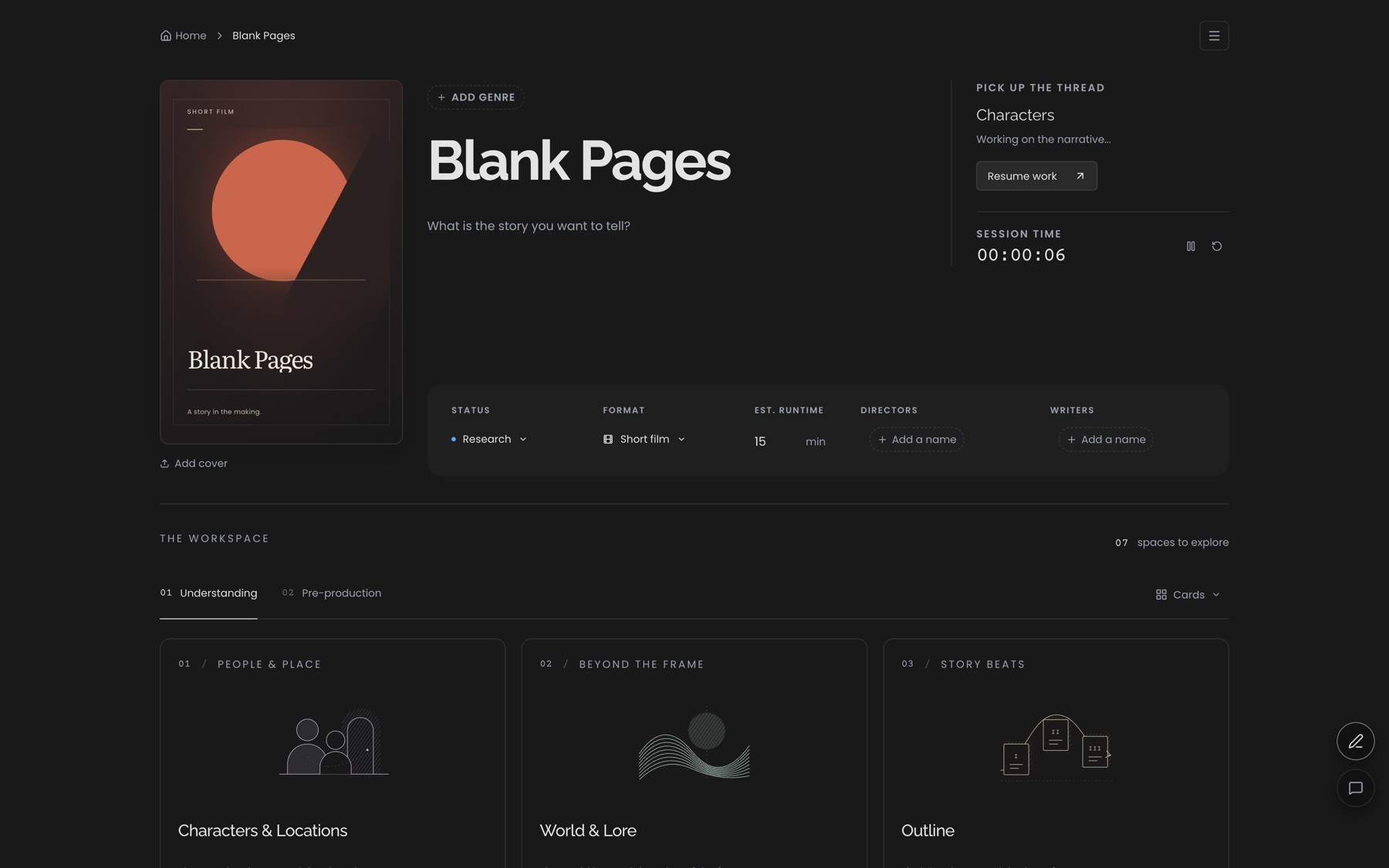
Every film opens on its hub: status, format, the people, and the modules grouped the way a film is actually made.
- Rename in place. The title and its generated cover update together.
- Pick up the thread. Jumps back to the last module you worked in, for the 20-minute writer.
- Session time. A quiet clock for people writing between other jobs.
- Two phases. Understanding is the writer's, Pre-production the producer's. Their fields never mix.
Industry format, page-accurate, everywhere.
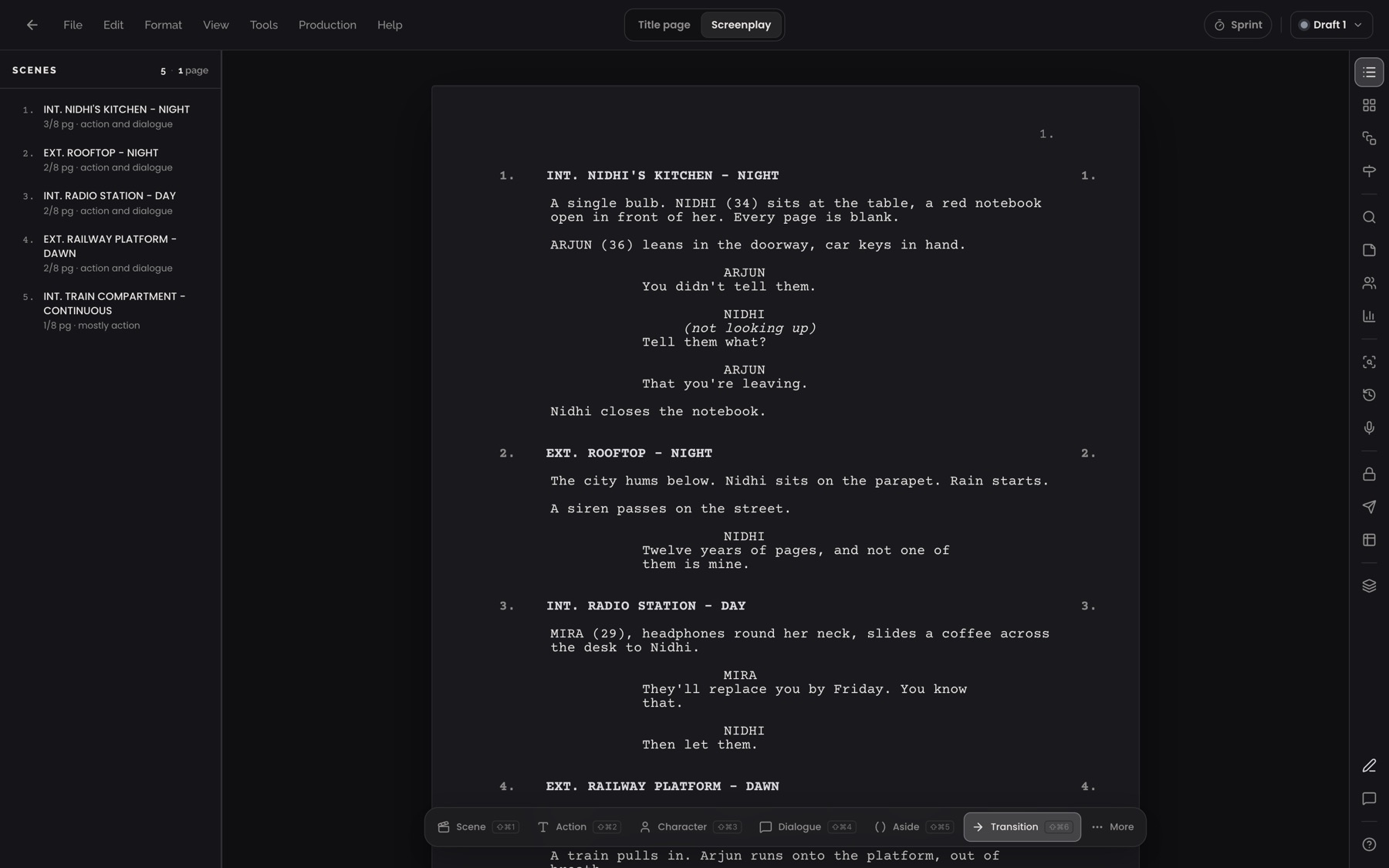
The page is the contract with production. One pagination engine drives the screen, the PDF and the eighths, so the schedule never lies.
- Scenes with eighths. Each scene's length in eighths of a page, plus a summary of what's in it.
- The page. Courier, real margins and scene numbers in both gutters, laid out by the same engine as the PDF.
- Element bar. Scene, action, character, dialogue and more, keyboard-first. Tab cycles through them.
- Title page · Screenplay. The title page is a real page that leads the PDF, never page one.
The people at the heart of it.
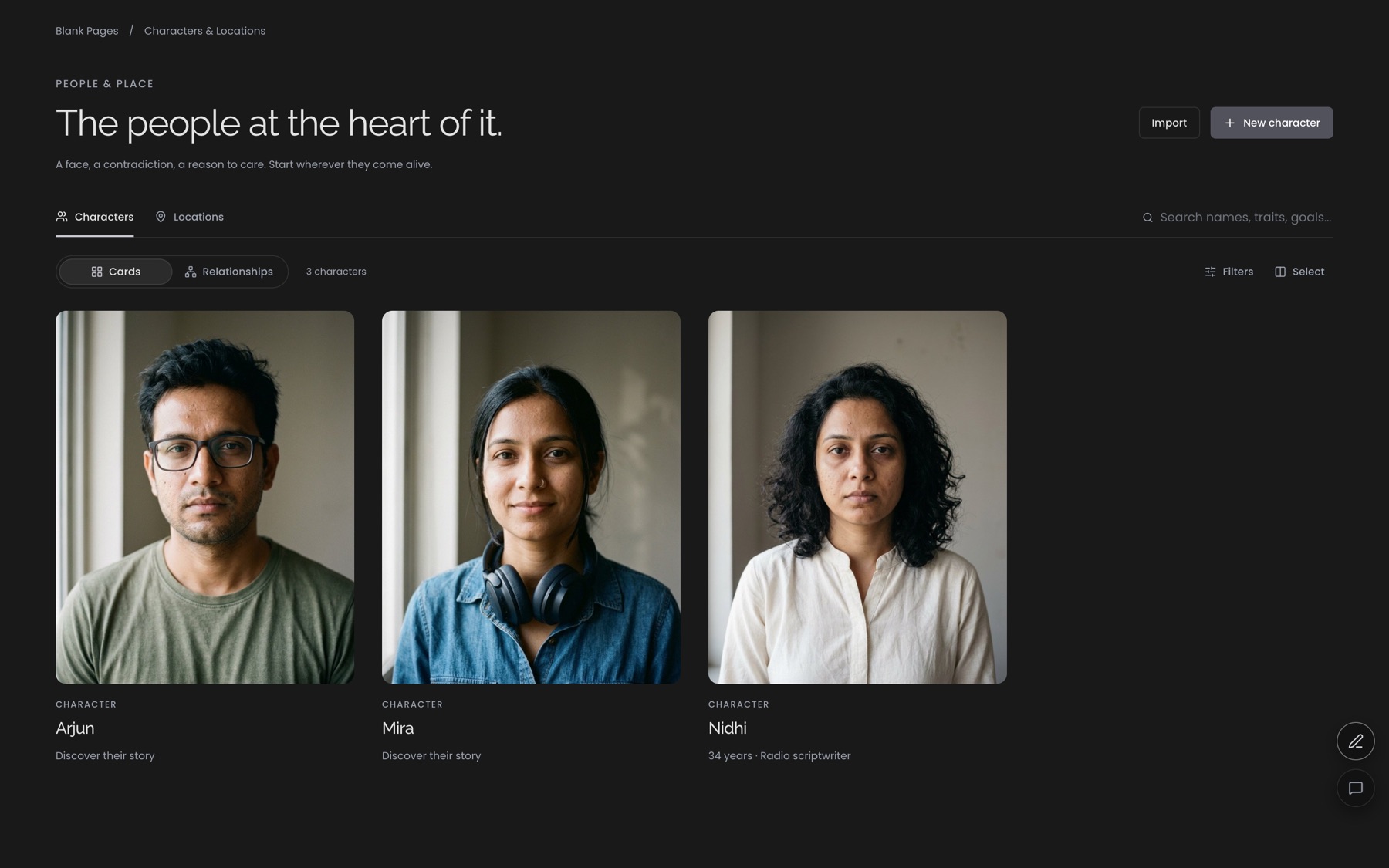
Characters are records, not notes: portraits, characteristics, inner life, arcs, relationships, and the scenes that prove each one.
- Portraits. Upload a reference image and it becomes the character's card.
- Read from the sheet. Nidhi's card shows her age and occupation, taken from her characteristics.
- Cards and relationships. Two views of the same cast.
- New character. A name is enough to begin. The rest can come as you write.
Keep the coloured pencil. Give it a memory.
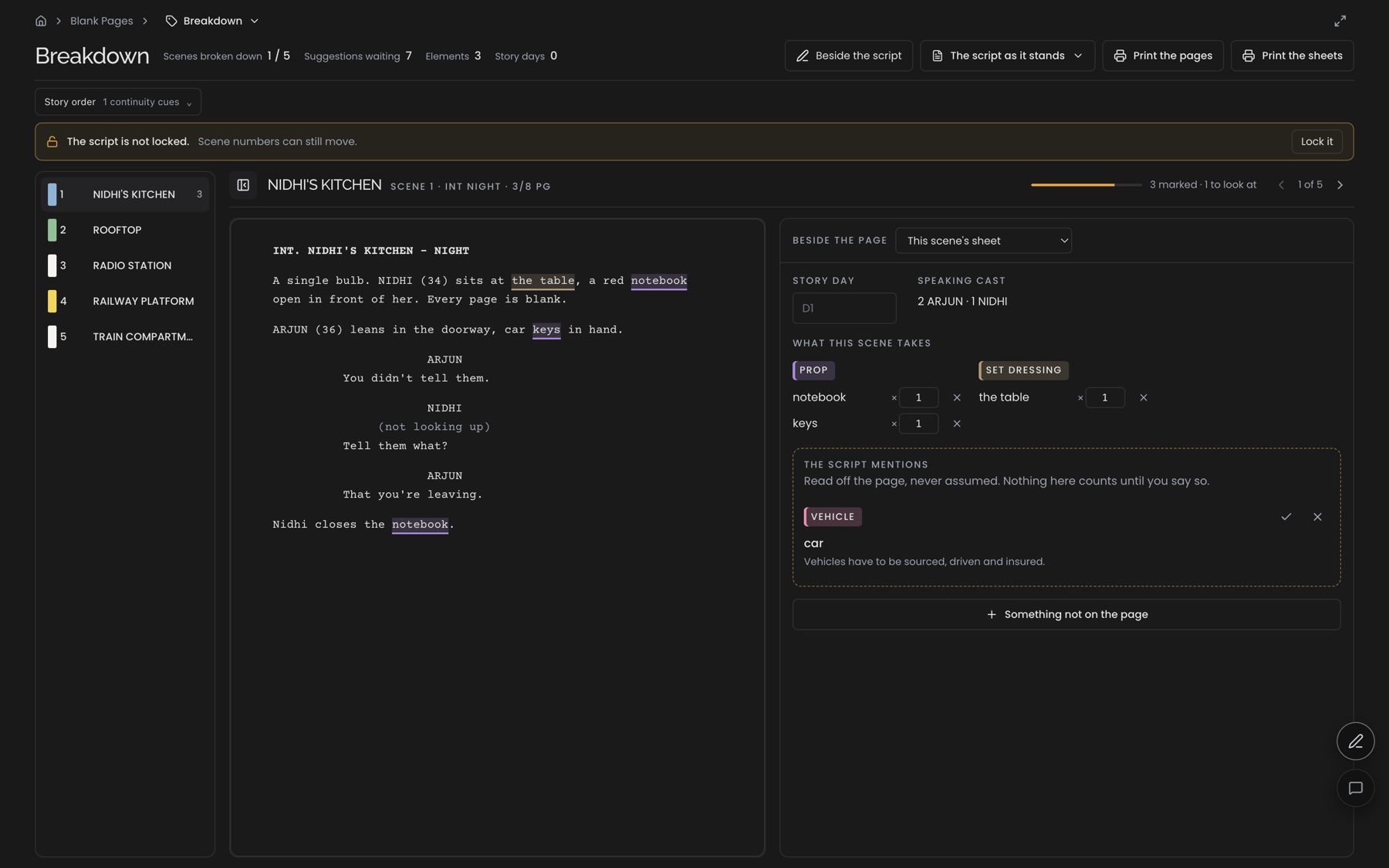
Assistant directors mark printed pages by hand. Here you mark the real page: the words underline in the department's colour and the sheet line writes itself.
- Marked on the page. "the table" and "notebook" underlined in their department colours.
- The scene sheet. Props and set dressing with quantities, written as you mark.
- Suggestions, never assumed. "car" was read off the page. Accept it or dismiss it.
- Scenes in strip colours. Each scene's colour comes from its heading: interior or exterior, day or night.
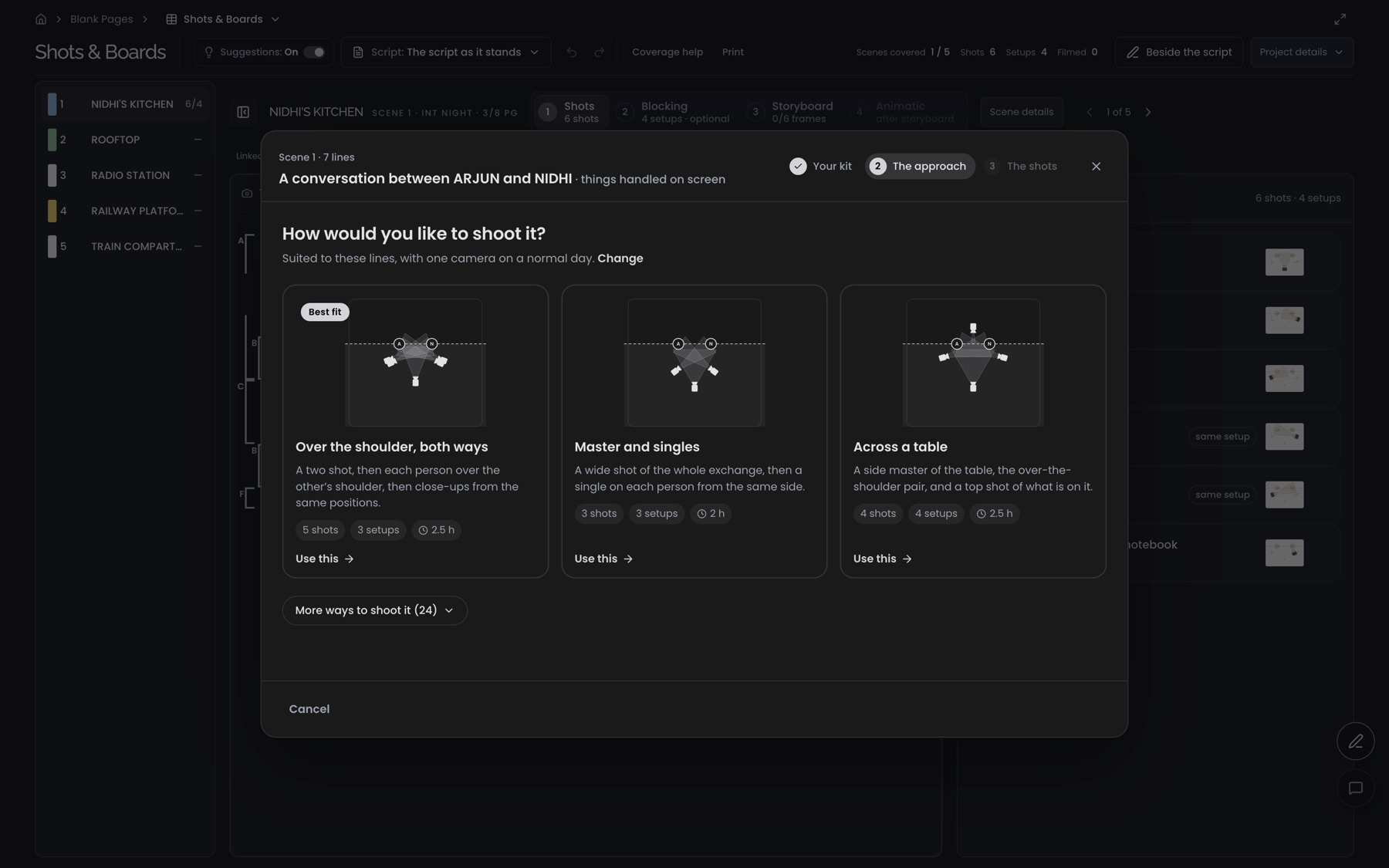
How would you like to shoot it?
Three quick questions about your kit and your day, then coverage patterns drawn as overheads, ranked for this scene.
- Three short steps. Your kit, the approach, then the shots. Each one can be skipped.
- Best fit. Ranked for a two-hander at a table, with one camera on a normal day.
- Coverage drawn as overheads. Each approach shows its camera positions before you commit.
- Cost up front. Shots, setups and hours for every approach.
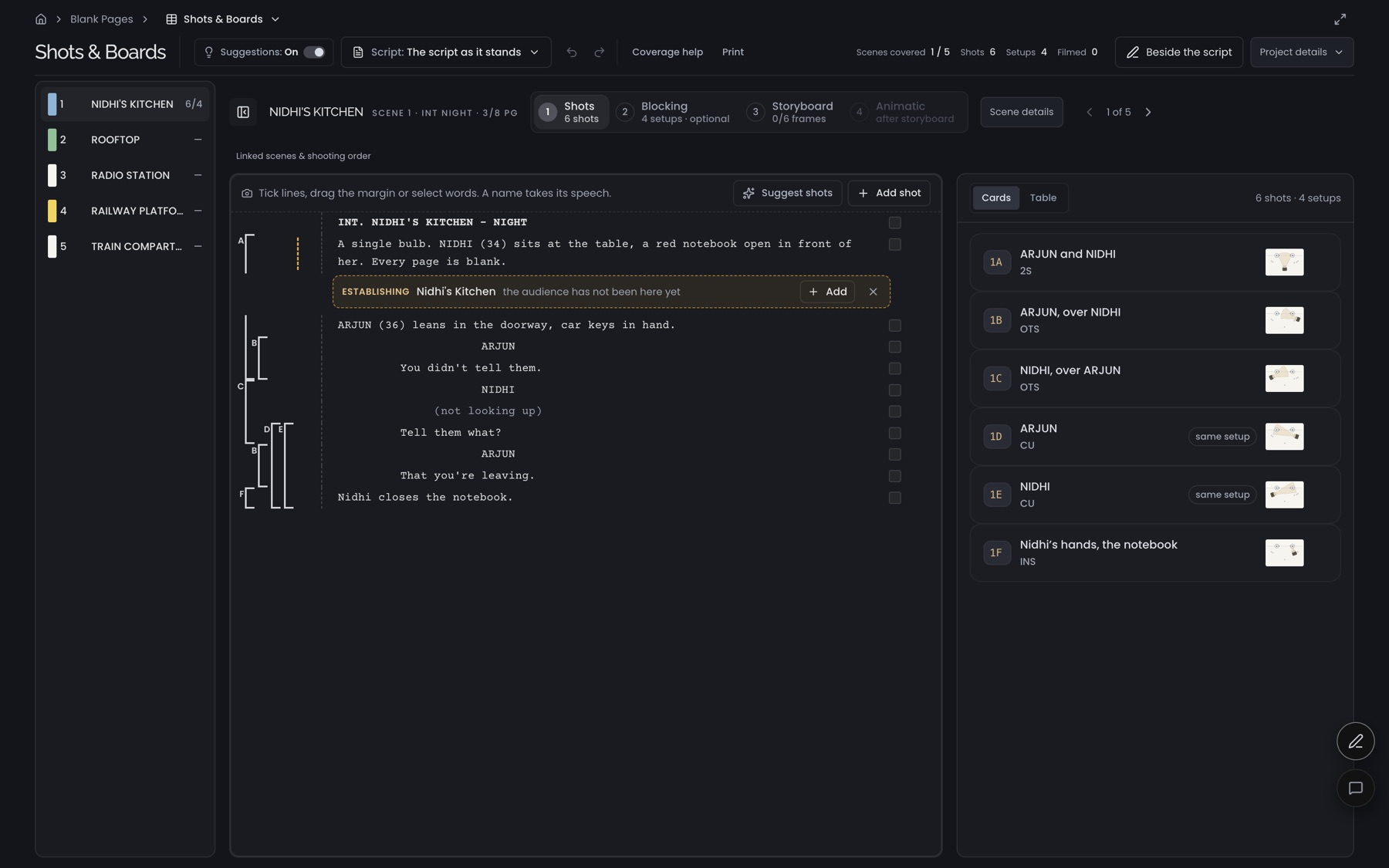
Coverage starts on the page.
Directors draw lines down the script to show what each setup covers. Here the line is the shot: drag down the margin, and the list and the gaps follow.
- The lined script. Each bracket in the margin is one shot's coverage.
- Numbered steps. 1 Shots · 2 Blocking · 3 Storyboard · 4 Animatic, renamed after a user couldn't find shot listing.
- Establishing suggestion. The audience hasn't been in the kitchen yet, so it offers an establishing shot.
- An insert from the text. "Nidhi's hands, the notebook", read from the action lines.
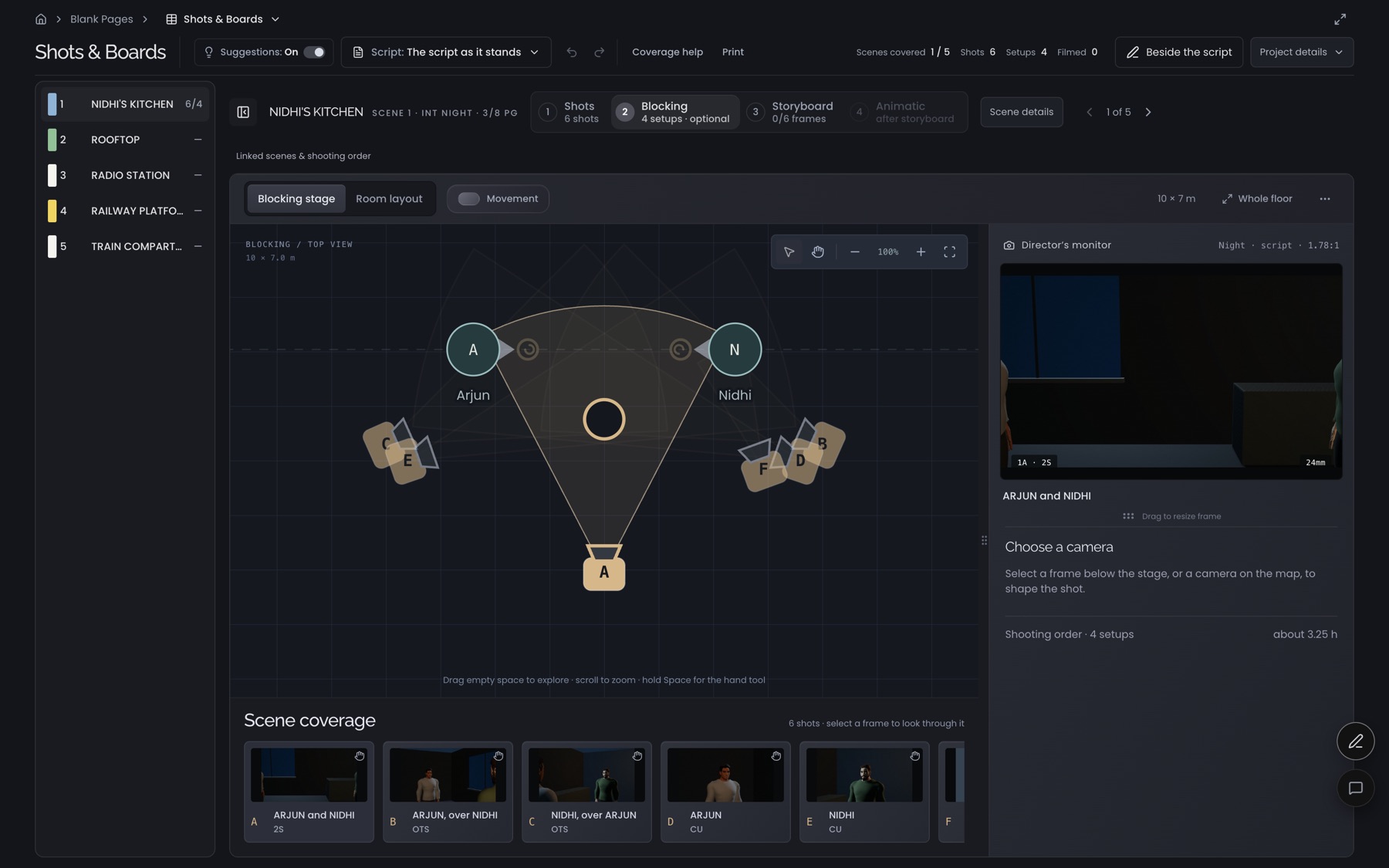
Plan the room. See the frame.
A top-down plan with lens cones and a line of action, and a director's monitor that renders what each camera actually sees, in 3D.
- Top-down plan. Arjun and Nidhi, with camera A and its lens cone.
- Director's monitor. A live 3D render of what camera A sees.
- Scene coverage. One rendered frame per setup. Pick one to look through it.
- Plain choices. Blocking stage or room layout. Exact numbers stay tucked away.
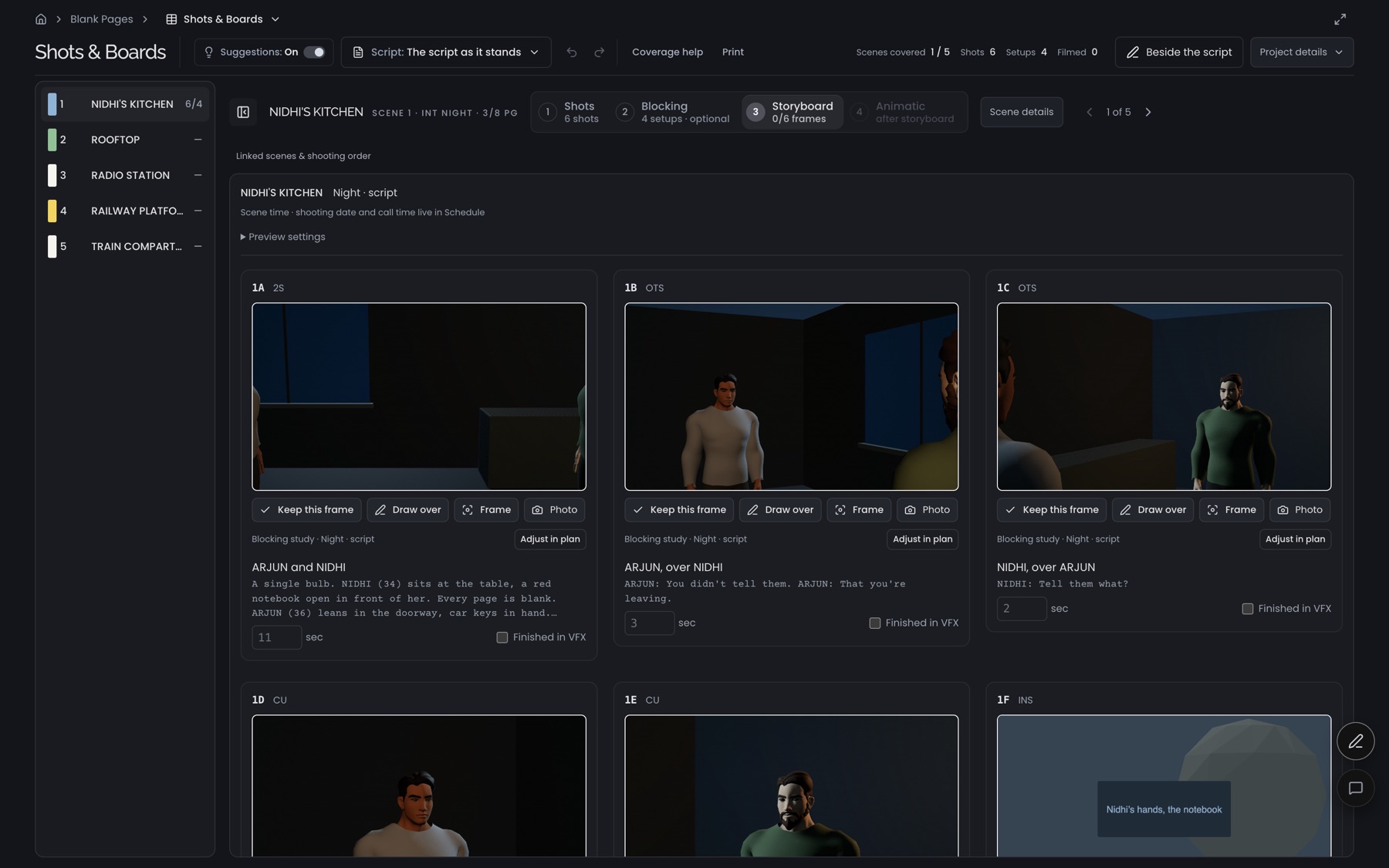
Storyboards for people who can't draw.
Boards are staged in 3D from the blocking, so every panel matches the plan and the lens.
- Rendered from the plan. Each panel is framed by the camera placed in blocking.
- Keep, draw over, re-frame. Sketch on top when a figure isn't enough.
- Adjust in plan. Jumps back to blocking for this frame.
- The insert, boarded. 1F: Nidhi's hands and the notebook, the insert suggested on the lined page.
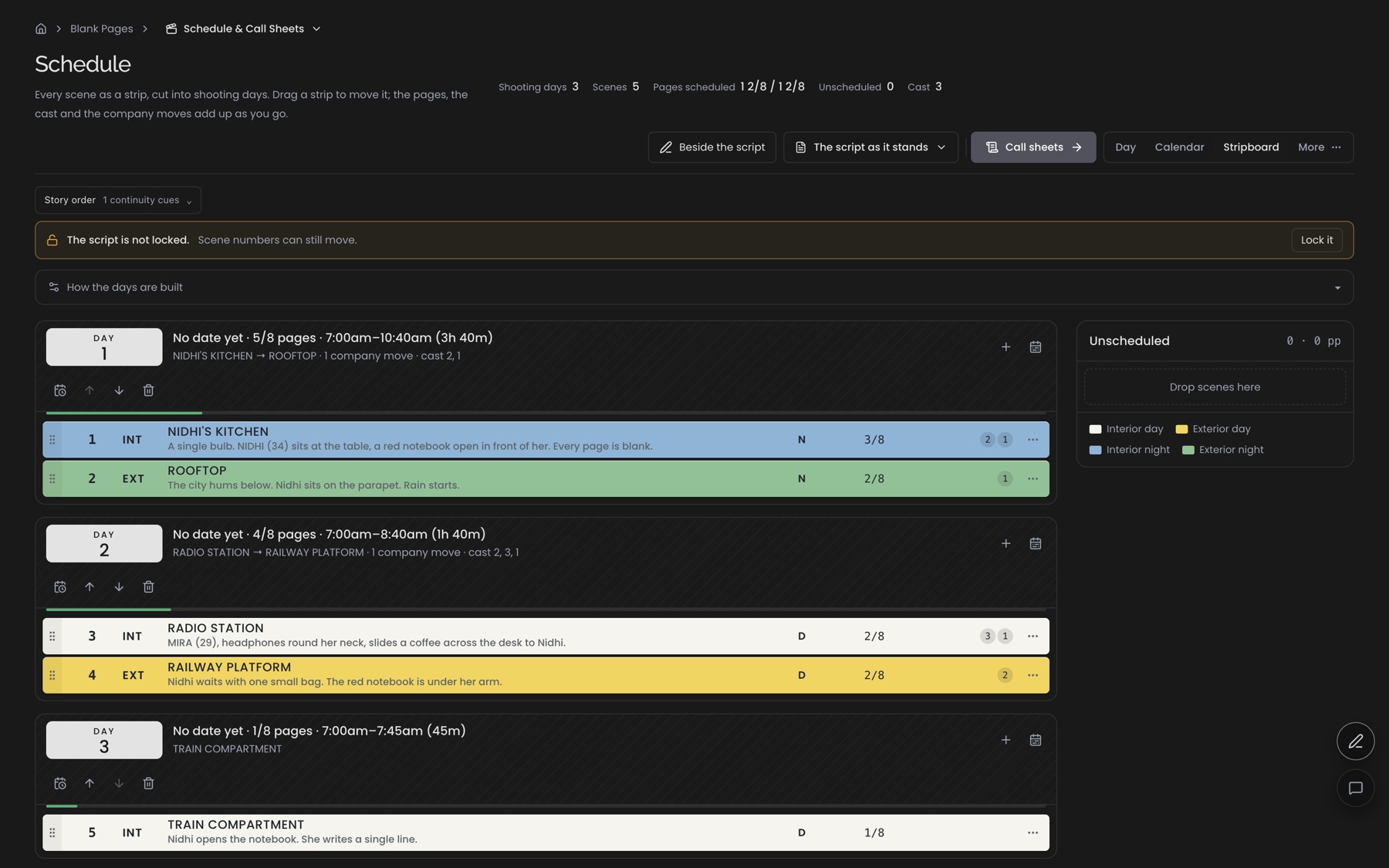
Strips rebuilt from the script.
Drafted days, industry strip colours, page counts in eighths and cast IDs, all read from the script. A rewrite re-colours the strip.
- Days drafted from the script. Day 1 runs 5/8 pages in 3h 40m, proposed from the scenes.
- Strip colours. Interior night in blue, exterior night in green, taken from each heading.
- Eighths and cast. Page counts and cast numbers on every strip.
- Unscheduled. Drag strips in, and the day re-times itself.
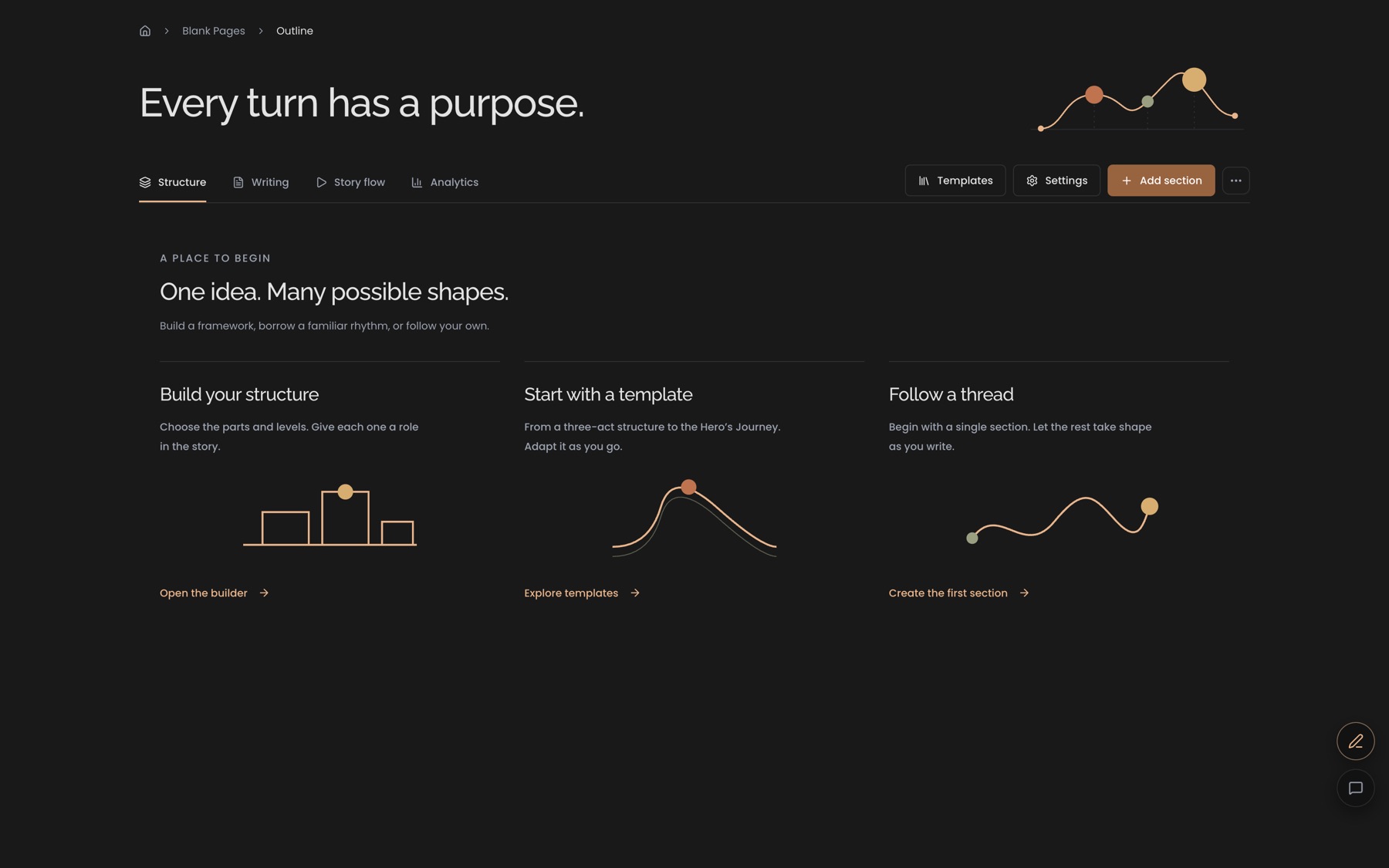
Structure as a map, never a gate.
Acts, sequences and beats at any depth, or none at all. The map can show on the screenplay page, and it can be switched off.
- Build your structure. From parts, with your own names.
- Start with a template. Familiar shapes, adapted rather than imposed.
- Follow a thread. Start with one section and let the rest take shape.
- Four views. Structure, writing, story flow and analytics of the same outline.
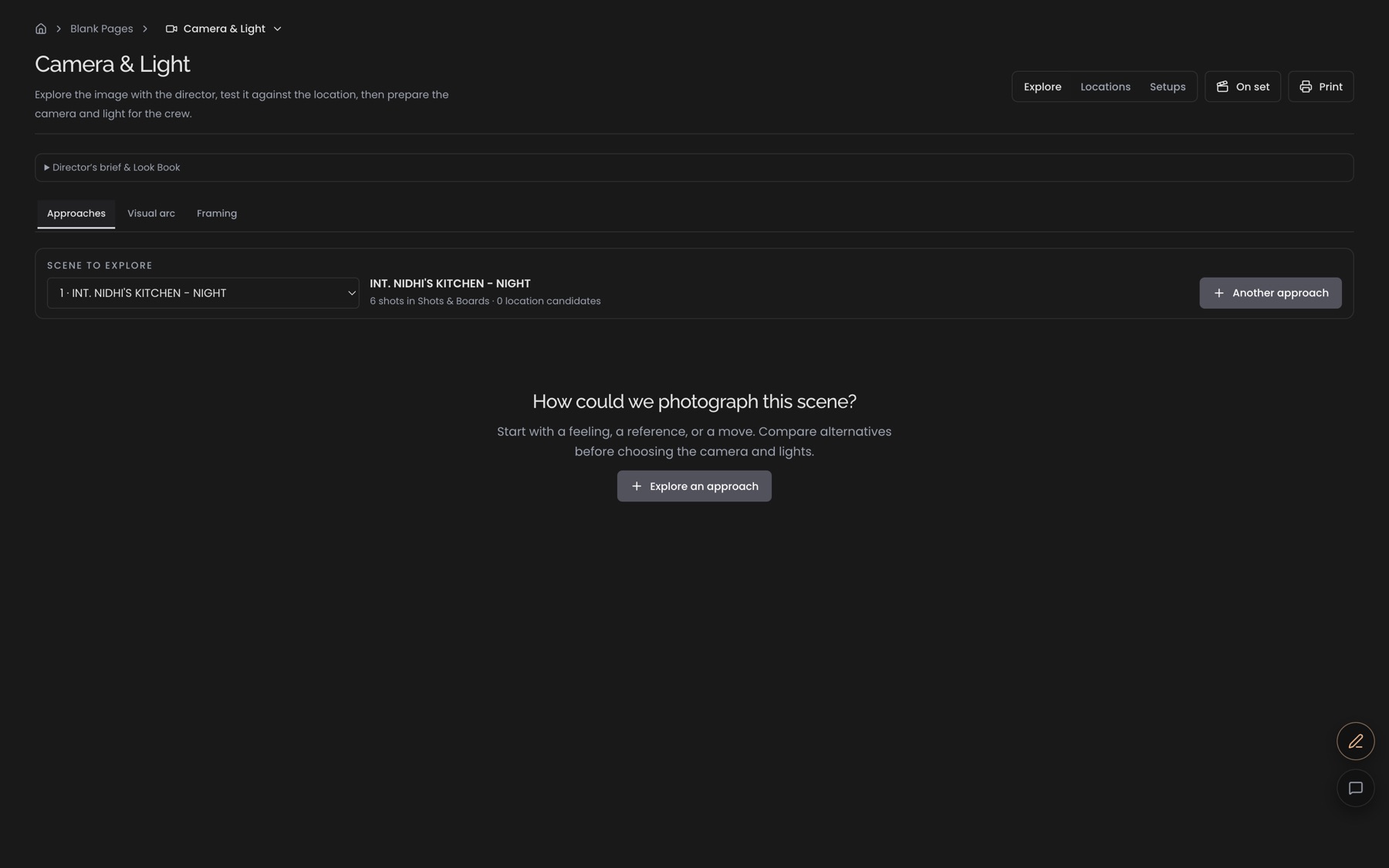
How could we photograph this scene?
Explore approaches, then turn the chosen one into setups with optics, sun paths and a kit list, and finish with a camera report from the set.
- Explore an approach. Start from a feeling, a reference or a move.
- Scene to explore. Reads the scene's six shots from Shots & Boards.
- On set. Switches the module into shoot-day mode for the camera report.
- Approaches · arc · framing. Compare alternatives before committing to cameras and lights.
One line · 1 millimetre · every feature